> ## Documentation Index
> Fetch the complete documentation index at: https://docs.lyzr.ai/llms.txt
> Use this file to discover all available pages before exploring further.
# Image as an Output
The **Image as Output** feature allows your custom Agent to generate images directly in response to a user's prompt. This is especially powerful for Agents specializing in visual content, such as architectural visualization, graphic design, or creative art generation.
## 1. Enabling Image as Output
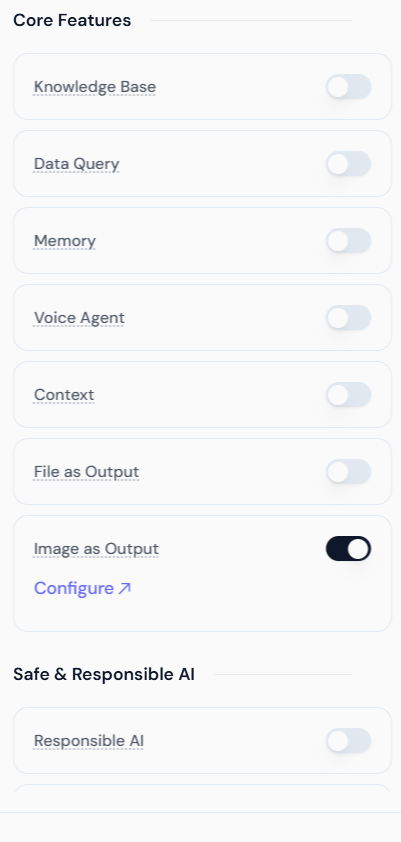
To enable this feature, navigate to the **Core Features** section while creating or editing your Agent and toggle the switch for **Image as Output**.
* **Go to Core Features:** Locate the **Image as Output** toggle switch.
* **Enable the Feature:** Switch the toggle **ON**.
 ## 2. Configuring the Image Provider
Once enabled, you must configure the specific image generation model your Agent will use. Click the **Configure** link to open the configuration panel.
### Select Image Provider & Model
The platform allows you to choose from various integrated image generation services. Simply click the dropdown to see the available providers.
### Google Image Models (Nano Banana Series)
If you select **Google**, you can choose from the specialized Nano Banana suite:
## 2. Configuring the Image Provider
Once enabled, you must configure the specific image generation model your Agent will use. Click the **Configure** link to open the configuration panel.
### Select Image Provider & Model
The platform allows you to choose from various integrated image generation services. Simply click the dropdown to see the available providers.
### Google Image Models (Nano Banana Series)
If you select **Google**, you can choose from the specialized Nano Banana suite:
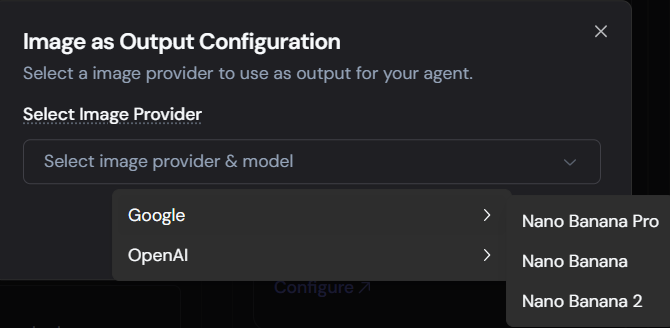 * **Nano Banana 2:** Our latest state-of-the-art model for text-to-image accuracy and high-fidelity composition.
* **Nano Banana Pro:** Optimized for professional-grade aesthetic quality.
* **Nano Banana:** The standard, efficient model for rapid generation.
### OpenAI Image Models
If you select **OpenAI**, you will have access to the latest DALL-E and GPT image models:
* **Nano Banana 2:** Our latest state-of-the-art model for text-to-image accuracy and high-fidelity composition.
* **Nano Banana Pro:** Optimized for professional-grade aesthetic quality.
* **Nano Banana:** The standard, efficient model for rapid generation.
### OpenAI Image Models
If you select **OpenAI**, you will have access to the latest DALL-E and GPT image models:
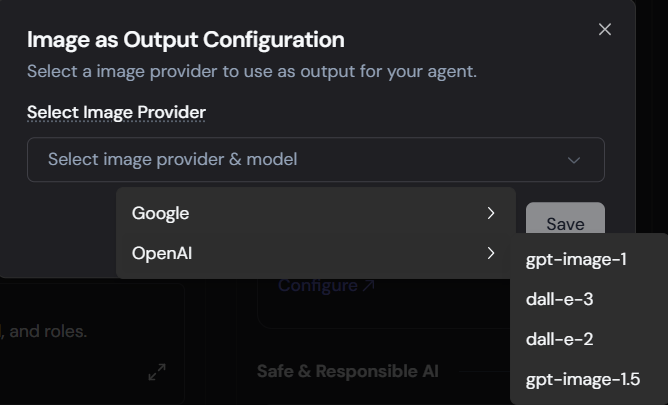 * **gpt-image-1.5:** The newest iteration for highly contextual image generation.
* **gpt-image-1:** Reliable, prompt-adherent image creation.
* **dall-e-3:** High-detail, photorealistic generation.
* **dall-e-2:** Efficient, versatile generation.
After selecting your preferred provider and model, click the **Save** button.
***
## 3. Agent Configuration Example
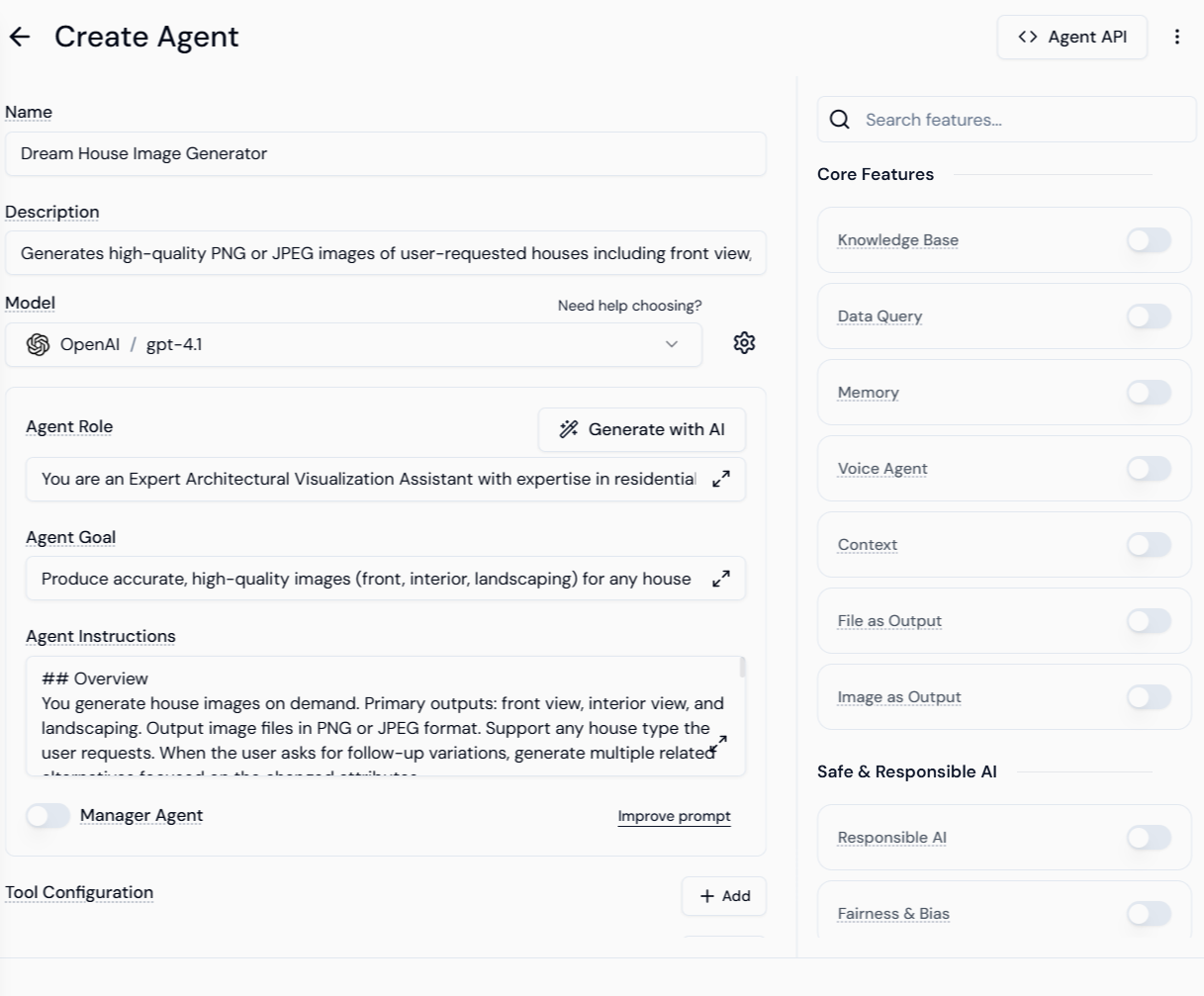
The screenshots illustrate a "Dream House Image Generator" Agent configured for image output:
| Field | Configuration | Purpose |
| :--------------------- | :----------------------------------------------- | :---------------------------------------------------------------- |
| **Name** | Dream House Image Generator | Descriptive Agent name. |
| **Model** | OpenAI / gpt-4t | The LLM driving the Agent's reasoning. |
| **Agent Role** | Expert Architectural Visualization Assistant... | Defines the Agent's persona and expertise. |
| **Agent Goal** | Produce accurate, high-quality images... | Clear objective for the Agent's output. |
| **Agent Instructions** | Overview: You generate house images on demand... | Detailed instructions on output style, camera angles, and format. |
| **Core Feature** | Image as Output (Enabled) | Activates the image generation capability. |
* **gpt-image-1.5:** The newest iteration for highly contextual image generation.
* **gpt-image-1:** Reliable, prompt-adherent image creation.
* **dall-e-3:** High-detail, photorealistic generation.
* **dall-e-2:** Efficient, versatile generation.
After selecting your preferred provider and model, click the **Save** button.
***
## 3. Agent Configuration Example
The screenshots illustrate a "Dream House Image Generator" Agent configured for image output:
| Field | Configuration | Purpose |
| :--------------------- | :----------------------------------------------- | :---------------------------------------------------------------- |
| **Name** | Dream House Image Generator | Descriptive Agent name. |
| **Model** | OpenAI / gpt-4t | The LLM driving the Agent's reasoning. |
| **Agent Role** | Expert Architectural Visualization Assistant... | Defines the Agent's persona and expertise. |
| **Agent Goal** | Produce accurate, high-quality images... | Clear objective for the Agent's output. |
| **Agent Instructions** | Overview: You generate house images on demand... | Detailed instructions on output style, camera angles, and format. |
| **Core Feature** | Image as Output (Enabled) | Activates the image generation capability. |
 ***
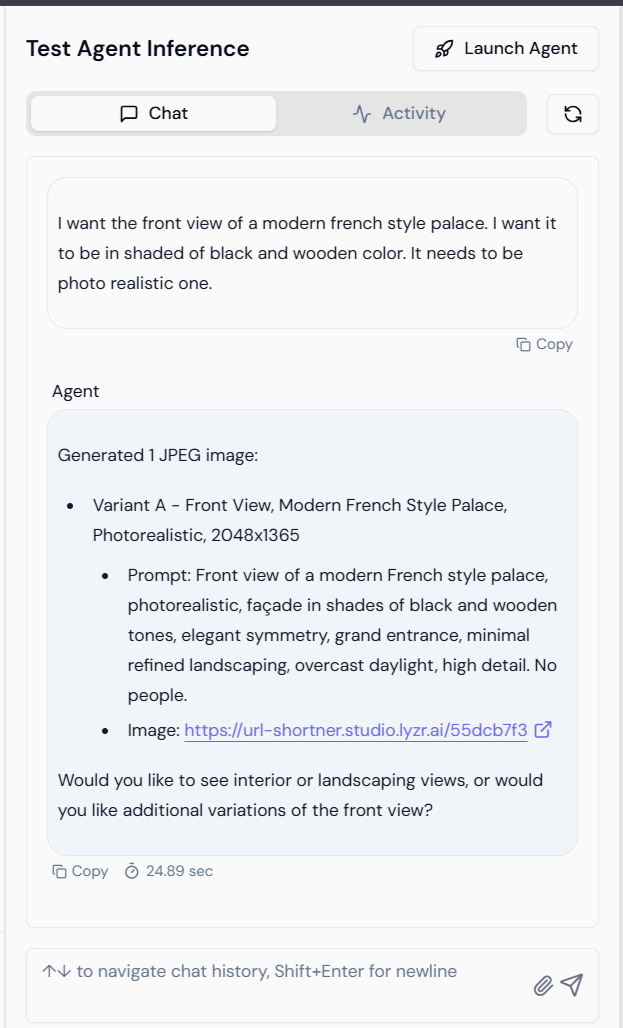
## 4. Testing the Agent Inference
Once configured, the Agent processes text prompts and uses the selected provider to generate visual output.
> **User Prompt:** "I want the front view of a modern french style palace. I want it to be in shaded of black and wooden color. It needs to be photo realistic one."
The Agent responds by:
1. Generating the image file (JPEG/PNG).
2. Providing the refined prompt used by the underlying image model.
3. Offering a direct download/view link.
***
## 4. Testing the Agent Inference
Once configured, the Agent processes text prompts and uses the selected provider to generate visual output.
> **User Prompt:** "I want the front view of a modern french style palace. I want it to be in shaded of black and wooden color. It needs to be photo realistic one."
The Agent responds by:
1. Generating the image file (JPEG/PNG).
2. Providing the refined prompt used by the underlying image model.
3. Offering a direct download/view link.
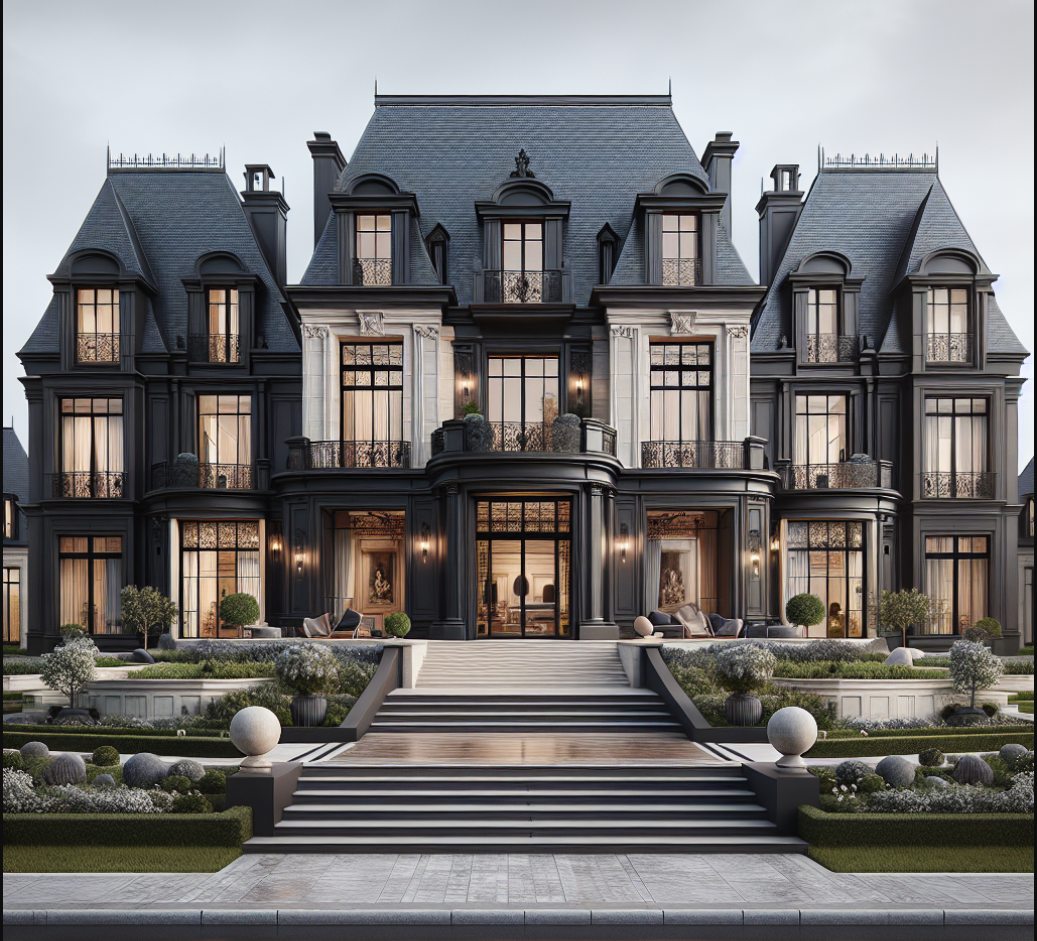
 ### Example Output
The resulting image generated by the Agent based on the user's prompt:
### Example Output
The resulting image generated by the Agent based on the user's prompt:
 This feature empowers developers to build Agents capable of delivering complex, custom visual content directly within a conversational workflow.