

Getting Started
To access the Voice module, navigate to the Voice icon in your Lyzr Studio sidebar. From the dashboard, you can monitor live call metrics, manage existing agents, or click + Create Agent to launch the configuration studio.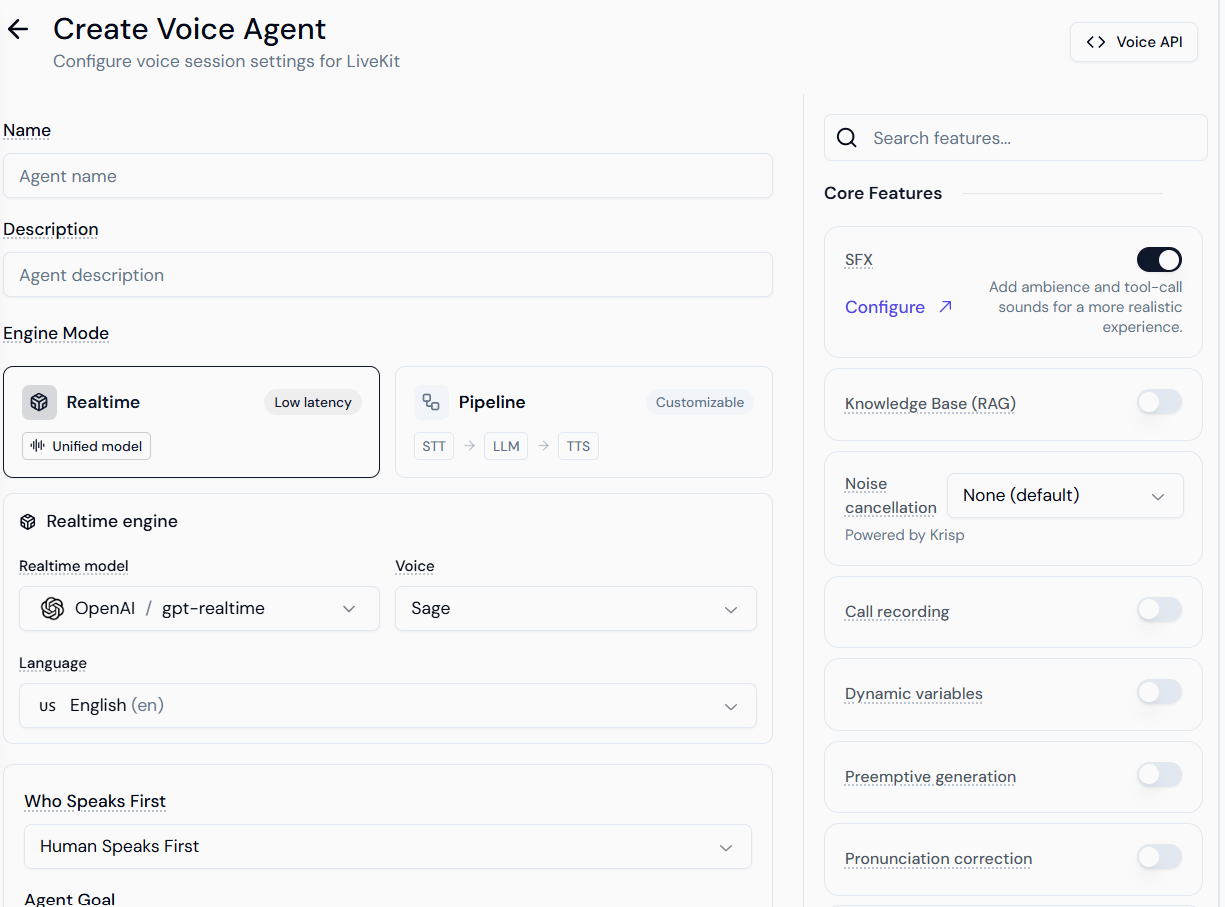
1. Engine Modes: Choosing Your Architecture
The “Engine Mode” determines how the agent “thinks” and “speaks.” This is the most critical decision for your agent’s performance.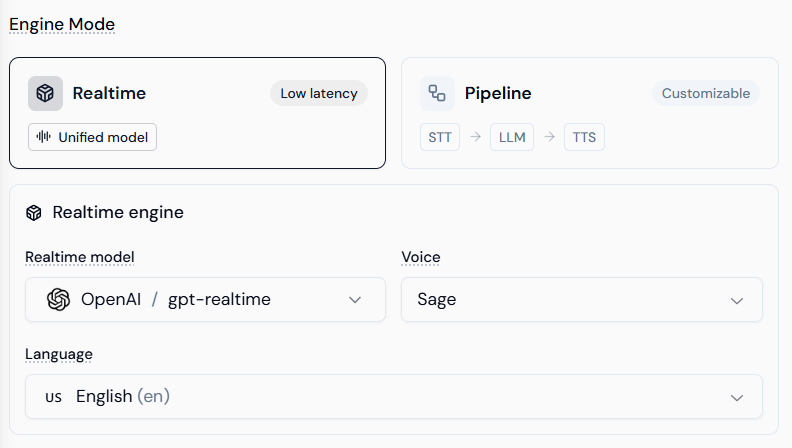
Realtime Engine (Unified Model)
The Realtime engine uses models like OpenAI gpt-4o-realtime. Unlike traditional stacks, this model processes audio-to-audio directly.- Pros: Lowest possible latency (sub-500ms), better handling of interruptions, and natural emotional inflection.
- Configuration: Select your Realtime Model, Voice (e.g., Sage, Ash), and Language.
Pipeline Engine (Customizable Stack)
The Pipeline engine allows you to modularize the agent’s “senses.”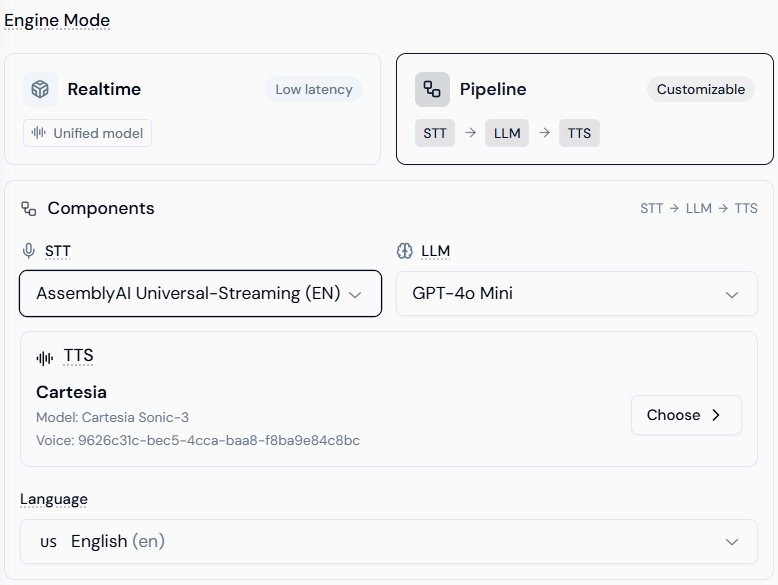
- STT (Speech-to-Text): Converts user audio to text. Features providers like AssemblyAI for robust streaming transcription.
- LLM: The reasoning core. You can use lighter models like GPT-4o Mini to balance cost and speed.
- TTS (Text-to-Speech): Converts response text back to audio. Providers like Cartesia offer high-fidelity, ultra-fast voice generation with specific Voice IDs.
2. Behavioral Configuration
Define the “who, what, and how” of your agent. This section acts as the system prompt for the voice interaction.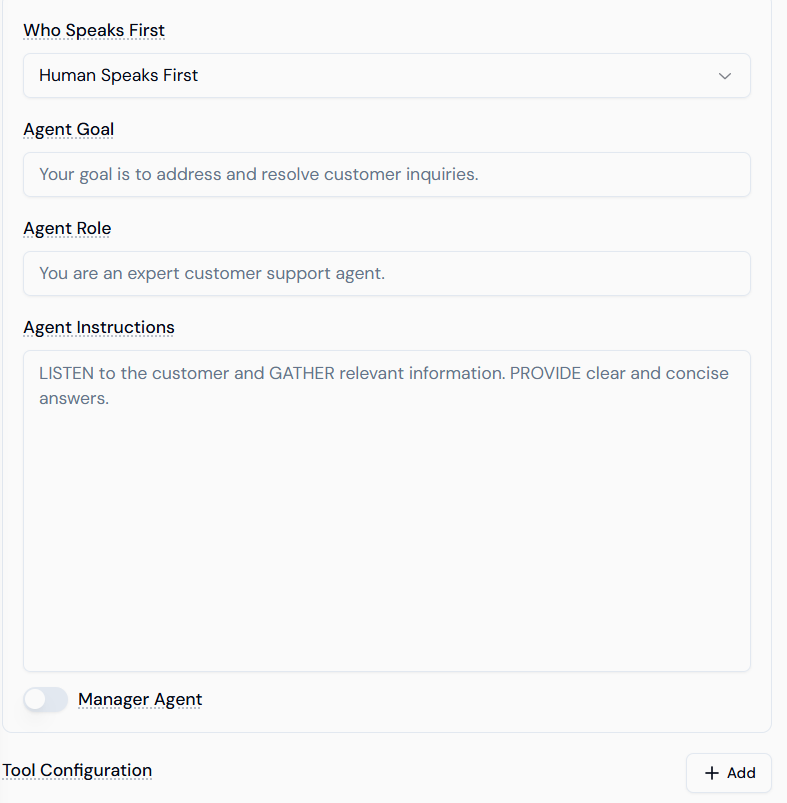
- Who Speaks First: * Human Speaks First: The agent waits for the user to initiate (best for inbound support).
- Agent Speaks First: The agent greets the user immediately (best for outbound sales or reminders).
- Agent Role & Goal: Provide high-level context. For example, “You are a specialized medical receptionist” with the goal to “Schedule follow-up appointments.”
- Agent Instructions: Detailed logic. Use this area to define:
- Tone: (e.g., “Professional yet empathetic”).
- Constraints: (e.g., “Do not discuss pricing; transfer to a manager for that”).
- Flow: (e.g., “First ask for the Order ID, then verify the zip code”).
3. Core Features & Audio Realism
The sidebar provides advanced toggles to fine-tune the user experience and technical reliability.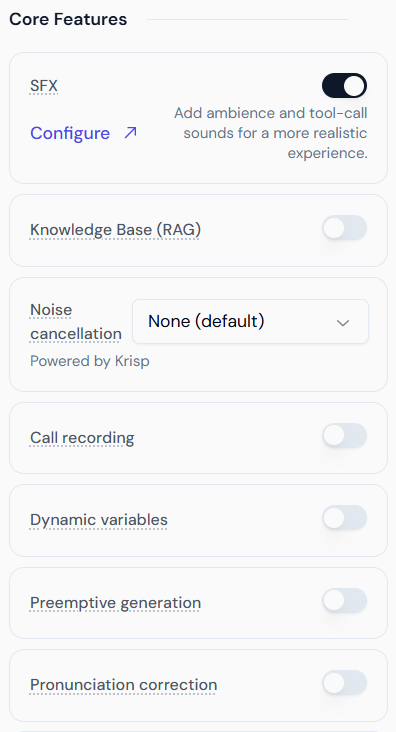
SFX & Ambience (Audio Grounding)
Raw AI voices can sometimes sound “sterile.” Adding SFX creates a realistic acoustic environment.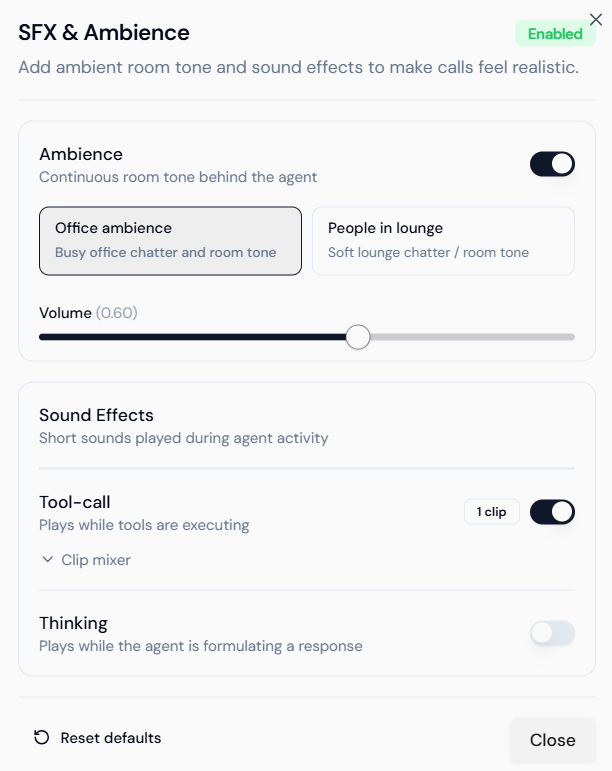
- Ambience: Adds a continuous background “room tone.”
- Office Ambience: Subtle keyboard clicks and distant chatter.
- People in Lounge: Soft environmental murmur.
- Tool-call Sounds: Plays a short audio clip (e.g., a “processing” chime) when the agent is executing a function like booking a calendar or checking a database.
- Thinking Sounds: Fills the silence during LLM processing with subtle human-like cues.
Knowledge Base (RAG)
Connect your agent to a Lyzr Knowledge Base. When enabled, the agent will perform a vector search on your documents before answering. This is essential for agents handling product support or internal policy inquiries.Dynamic Variables & Fallbacks
Variables allow you to inject real-time data into your prompts (e.g.,{{customer_name}}).
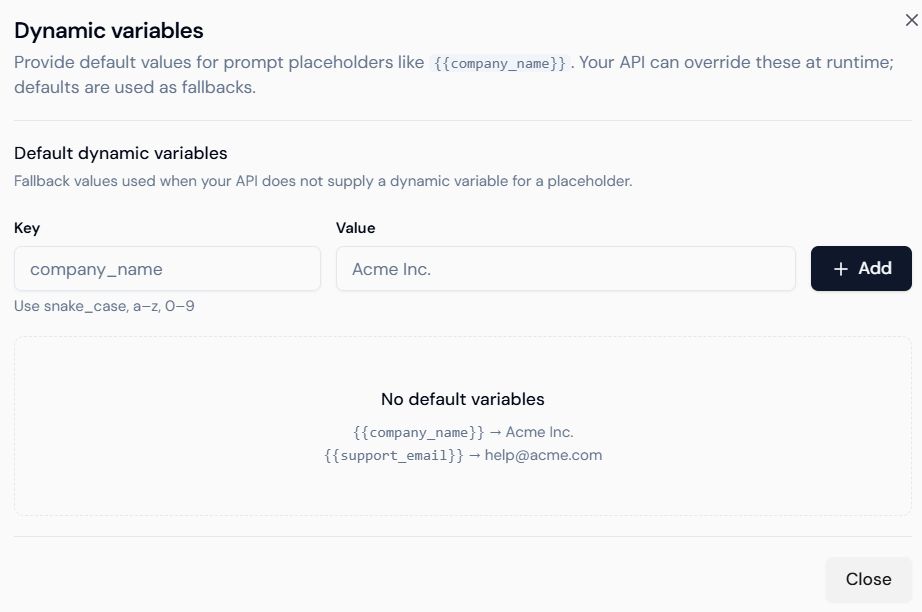
- Keys: The placeholder used in your instructions.
- Values: The default fallback (e.g., if the API doesn’t know the name, it defaults to “Valued Customer”).
Pronunciation Rules
Prevent the AI from mispronouncing brand names or technical acronyms using SSML-style text replacement.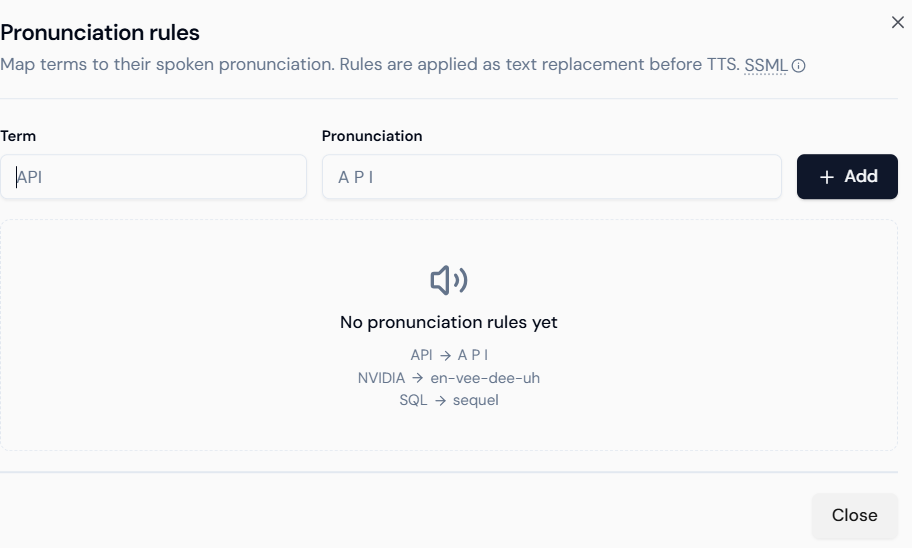
- Term: The written word (e.g., “NVIDIA”).
- Pronunciation: The phonetic breakdown (e.g., “en-vee-dee-uh”).
4. Advanced Stability Features
- Noise Cancellation (Krisp): Dramatically improves transcription accuracy in noisy environments (e.g., users calling from a car or a busy street).
- Preemptive Generation: The agent starts “streaming” audio as soon as the first few tokens of text are generated, rather than waiting for the full sentence.
- Call Recording: Enables full audio logging. Note that you may need to add a “This call is being recorded” disclaimer in your Agent Instructions for legal compliance.
Best Practices for Voice Agents
- Be Concise: Users lose track of long lists of spoken options. Keep agent responses under 2-3 sentences.
- Handle Interruptions: Use the Realtime Engine if your use case requires the user to frequently interrupt the agent.
- Phonetic Testing: Always test your brand name. If the TTS says it incorrectly, add it to the Pronunciation Rules immediately.