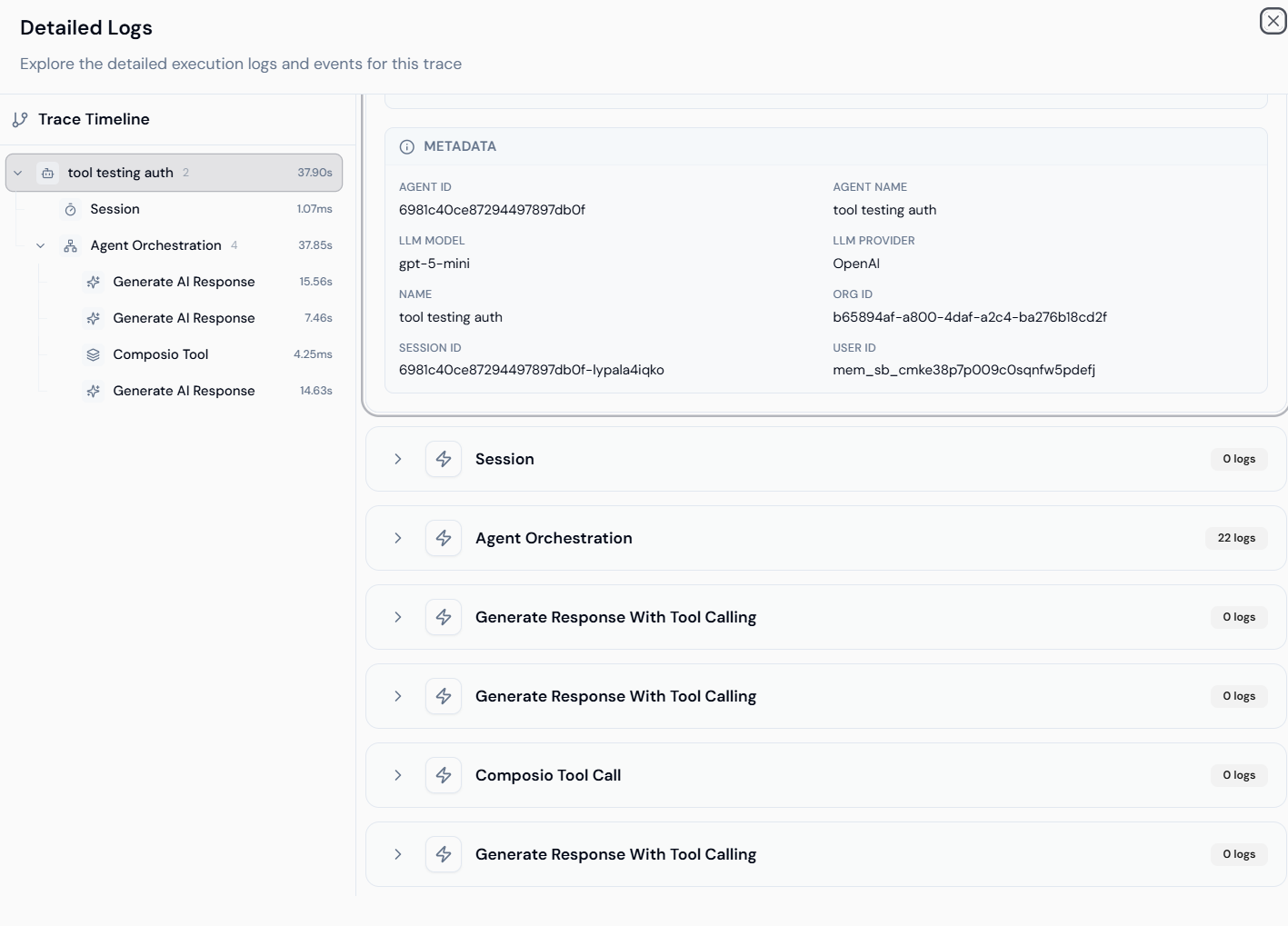
🔹 Monitoring Overview
Monitoring offers a dashboard view of agent activity and system health. With the move to OpenTelemetry standardization, the system provides higher-quality logs and more granular data points.- OpenTelemetry Standardization: Improved log quality, filtering, and reporting accuracy.
- Administrative Oversight: Owners and Admins now have access to all users’ data for centralized monitoring.
- Trace-level Status: Immediate visibility into success/failure status to identify and fix issues faster.
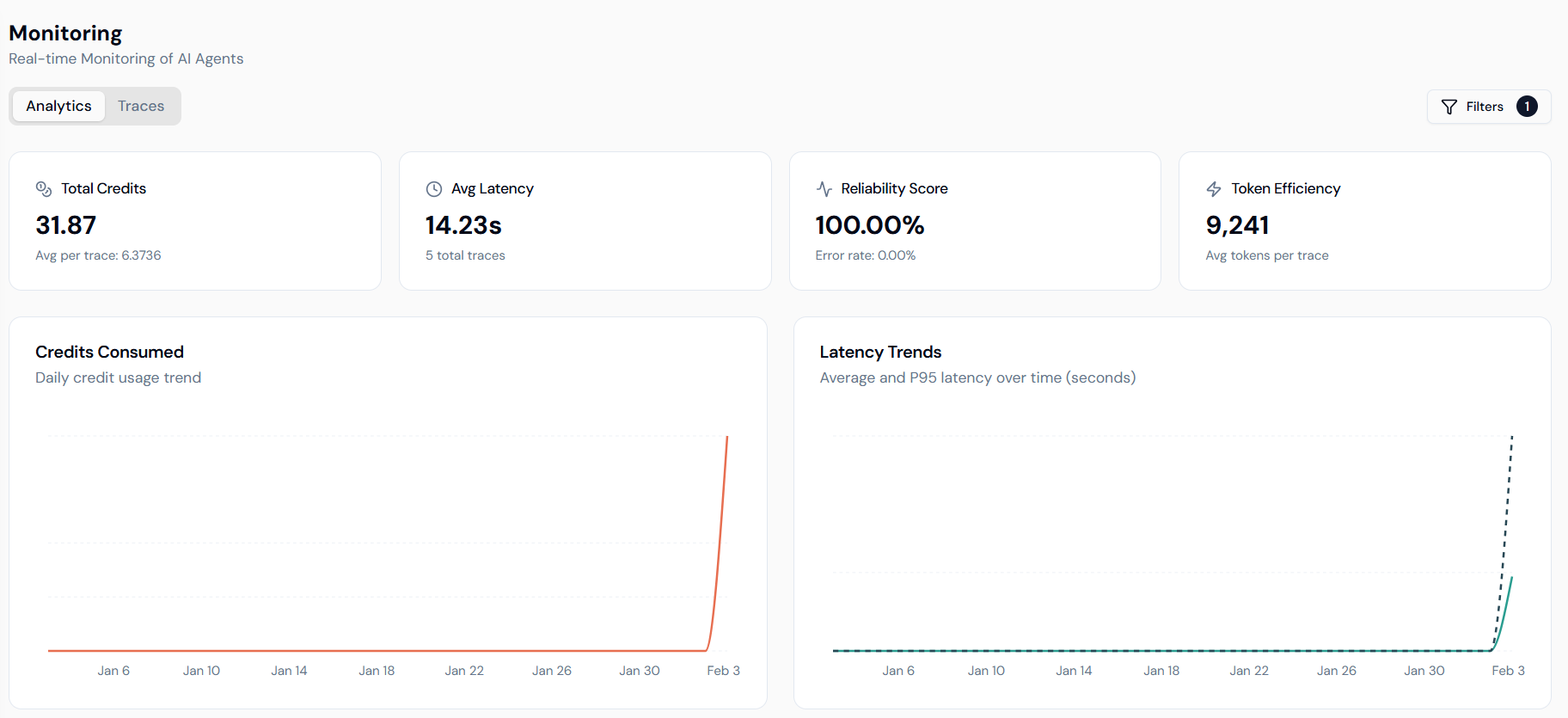
🔹 Analytics Dashboard
The Analytics tab provides high-level visualization of agent-wise usage metrics. We have introduced new charts to help you deeply analyze traces and uncover operational insights.Key Metrics
- Total Credits: Aggregate credits spent, including average cost per trace.
- Avg Latency: Mean response time of agents (in seconds).
- Reliability Score: Real-time percentage of successful executions (Error rate: 0.00%).
- Token Efficiency: Tracks average tokens used per trace to optimize LLM costs.
Performance Charts
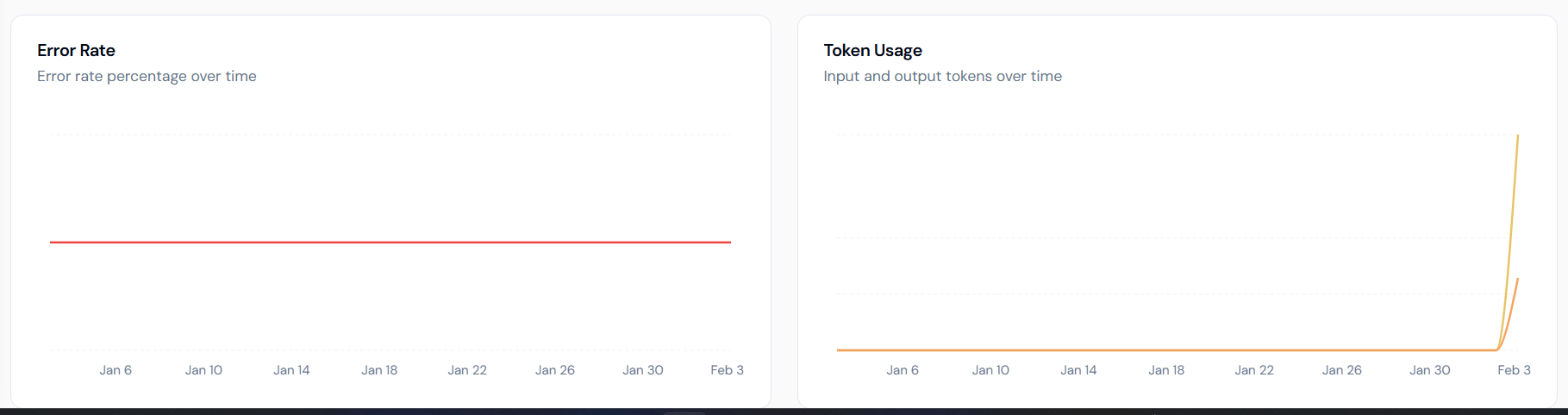
- Error Rate: A dedicated timeline visualizing the percentage of failures over time.
- Token Usage: Breakdown of input and output tokens to analyze model consumption.
- Latency Trends: Tracks both Average and P95 latency to identify performance bottlenecks.
- Credits Consumed: Daily credit usage trends for budget management.
🔹 Tracing
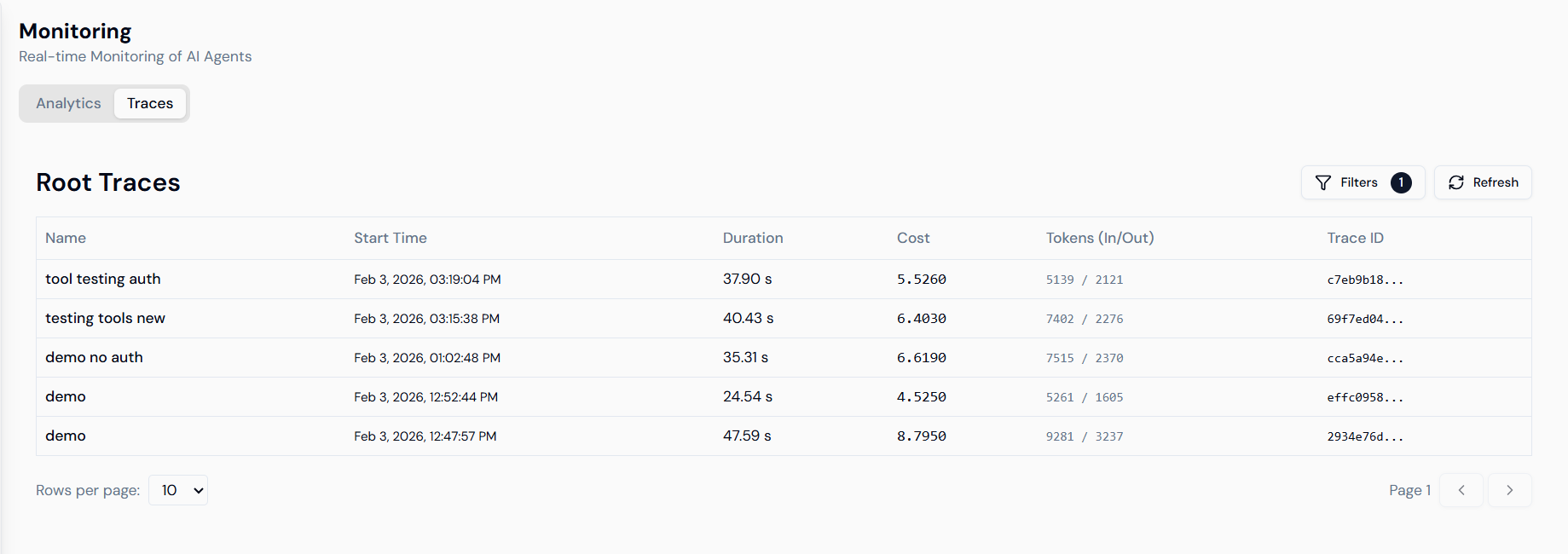
Switch to the Traces tab to see execution-level details of agents with fine-grained event logs.Root Traces
The traces view allows you to inspect every individual execution:- Trace ID: Unique identifier for specific run tracking.
- Duration: Precise execution time for each request.
- Cost & Tokens: Real-time credit and token consumption for the specific trace.
- Start Time: Timestamp of execution.
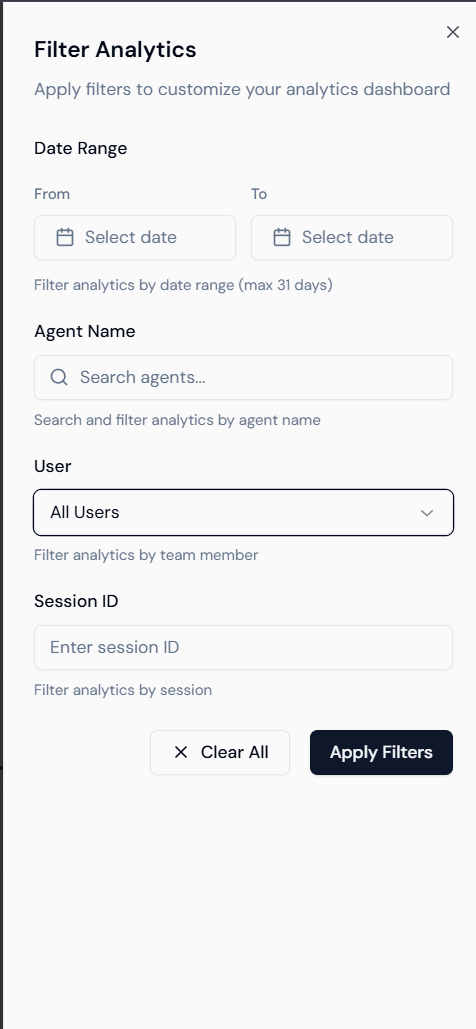
Enhanced Filtering
Use the Filter Analytics sidebar to drill down into data by:- Date Range: Select specific windows (max 31 days).
- Agent Name: Filter by specific AI agents.
- User: Admins can filter by specific team members.
- Session ID: Isolate traces belonging to a single session.
🔹 Debugging & Detailed Logs
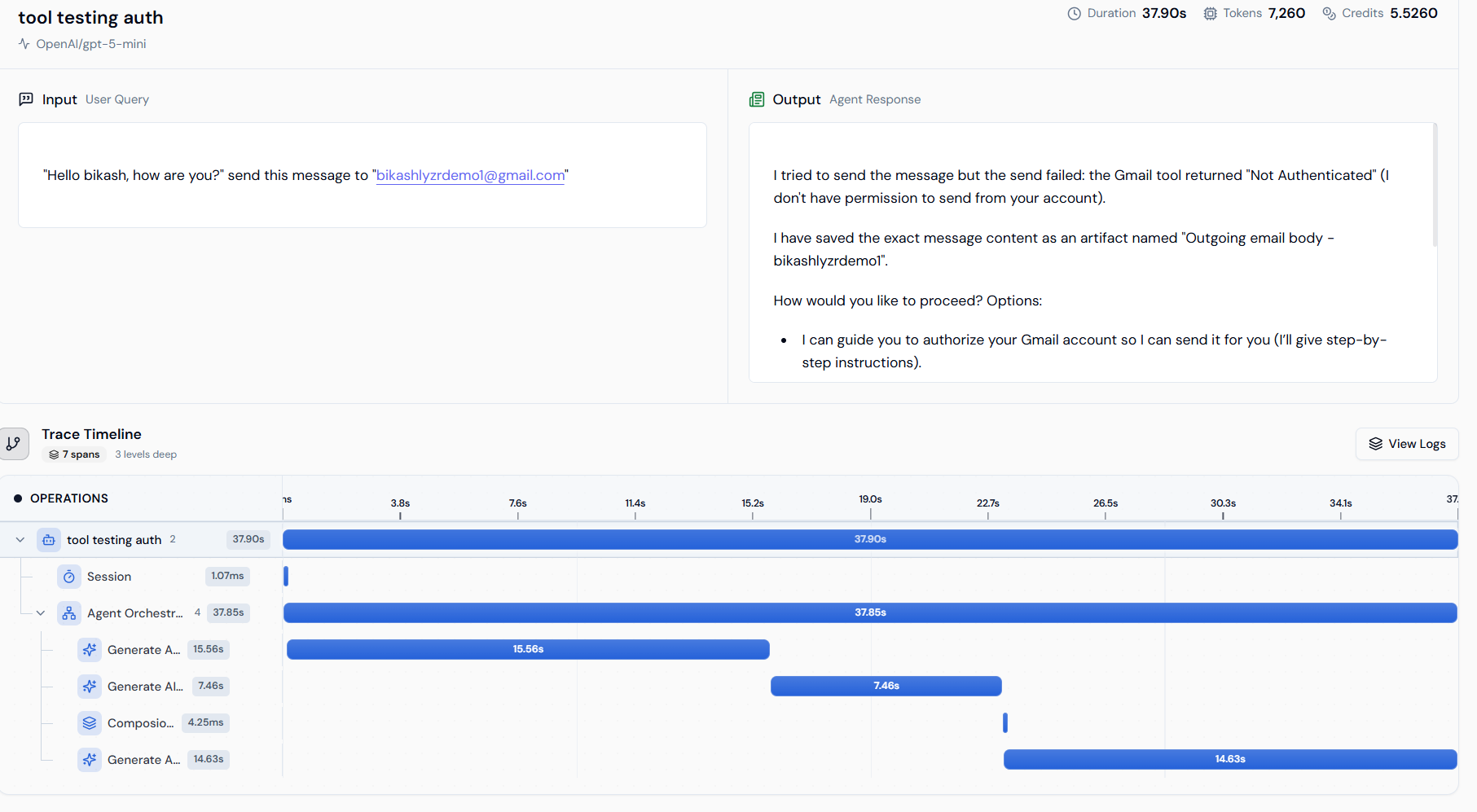
Clicking any trace opens a deep-dive view into the agent’s internal operations, which is essential for validating tool calls and responses.Trace Timeline
- Operation Waterfall: See the sequence of events from
Sessionstart toAgent OrchestrationandGenerate AI Response. - Span Duration: Identify exactly which step (e.g., a specific tool call) is causing latency.
Detailed Metadata & Logs
- Metadata: Access Agent ID, Org ID, User ID, and specific LLM model details (e.g.,
gpt-5-mini). - Execution Logs: Expand individual operations to view raw logs and internal event data.