Monitoring and Tracing provides real-time visibility into agent activity, execution health, and resource consumption. Traces are standardized with OpenTelemetry, which enables consistent log quality, advanced filtering, and high-fidelity reporting across all agents in your workspace. Org Owners and Admins have access to data across all users, enabling centralized oversight for teams managing multiple agents.

Analytics dashboard

The Analytics tab provides aggregate metrics across agents over a selected date range.
MetricDescription
Total CreditsAggregate credits spent, including average cost per trace
Avg LatencyMean agent response time in seconds
Reliability ScorePercentage of successful executions
Token EfficiencyAverage tokens used per trace
Screenshot of the Analytics dashboard showing credit, latency, reliability, and token efficiency metrics with trend charts. Charts available:
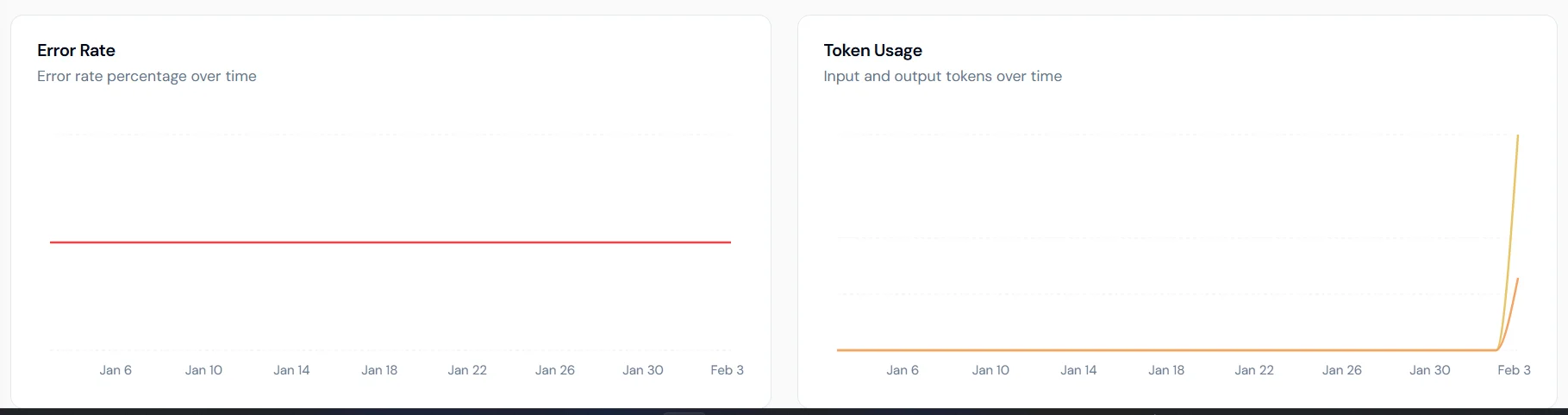
  • Error Rate: percentage of failed executions over time.
  • Token Usage: breakdown of input and output tokens.
  • Latency Trends: average and P95 latency to surface performance bottlenecks.
  • Credits Consumed: daily credit usage trends.

Traces

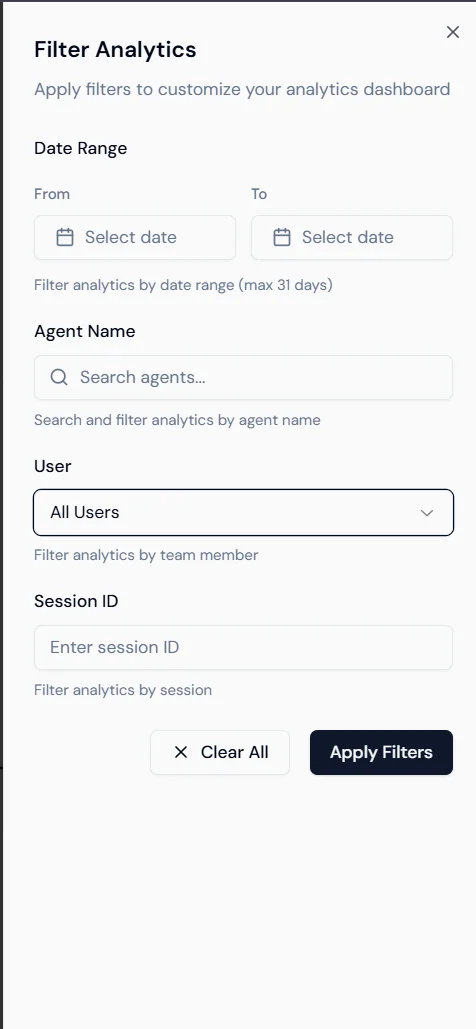
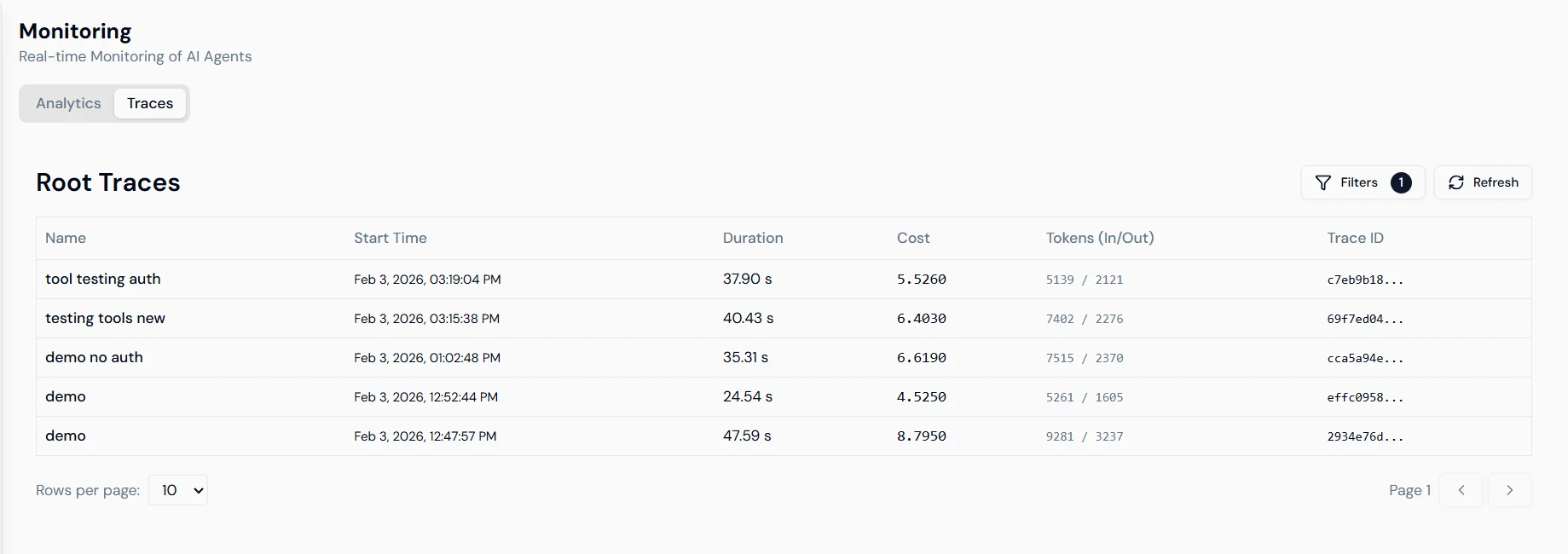
The Traces tab shows individual execution records for every agent run. Screenshot of the Traces list showing columns for Trace ID, Duration, Cost, Tokens, and Start Time. Each row shows: Trace ID, duration, cost and token consumption, and start time. Select any trace to open a detailed view. Filtering: Use the Filter Analytics sidebar to narrow traces by date range (up to 31 days), agent name, user, or session ID. Screenshot of the Filter Analytics sidebar with date range, agent name, user, and session ID filter options.
Trace detail

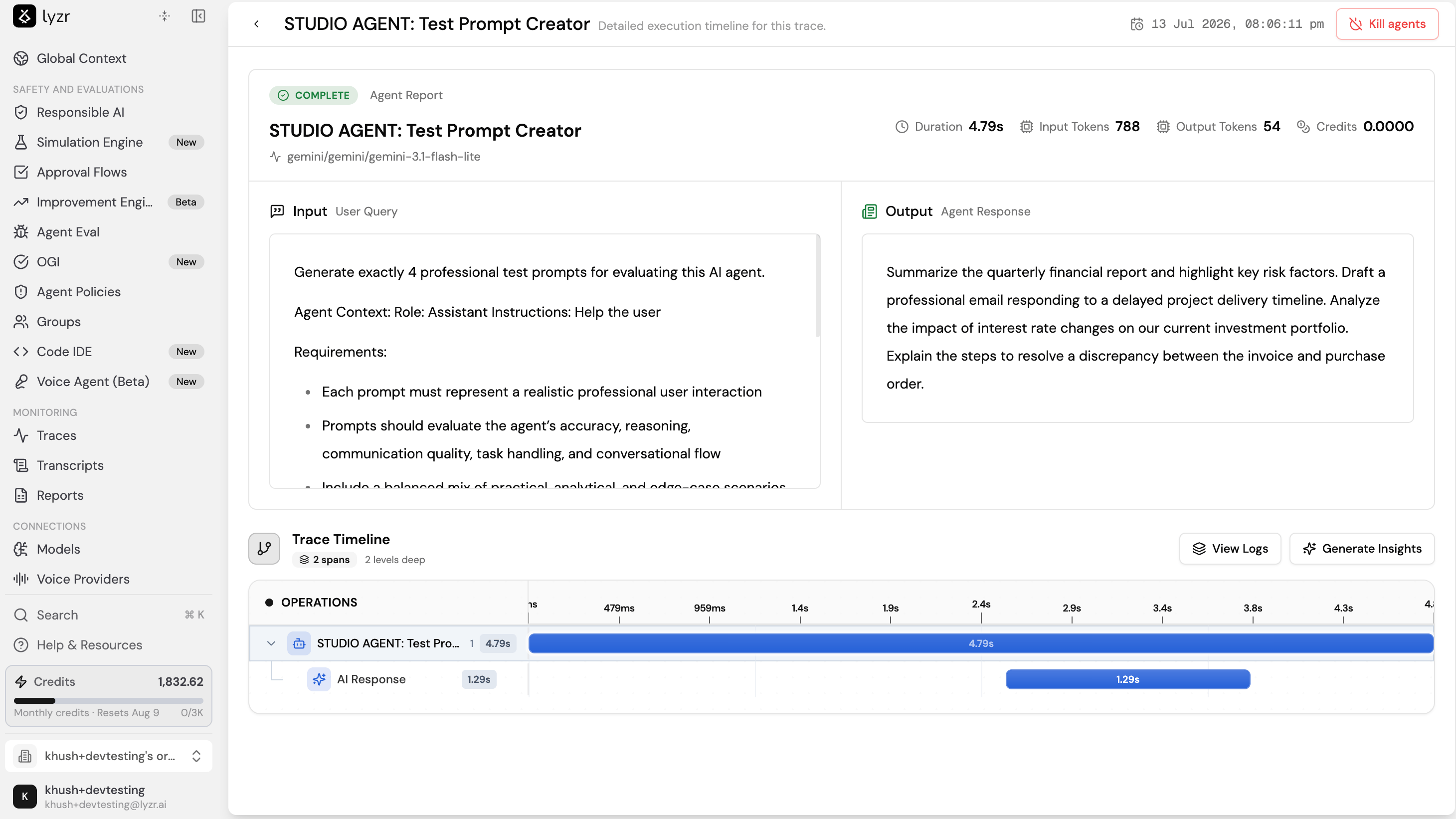
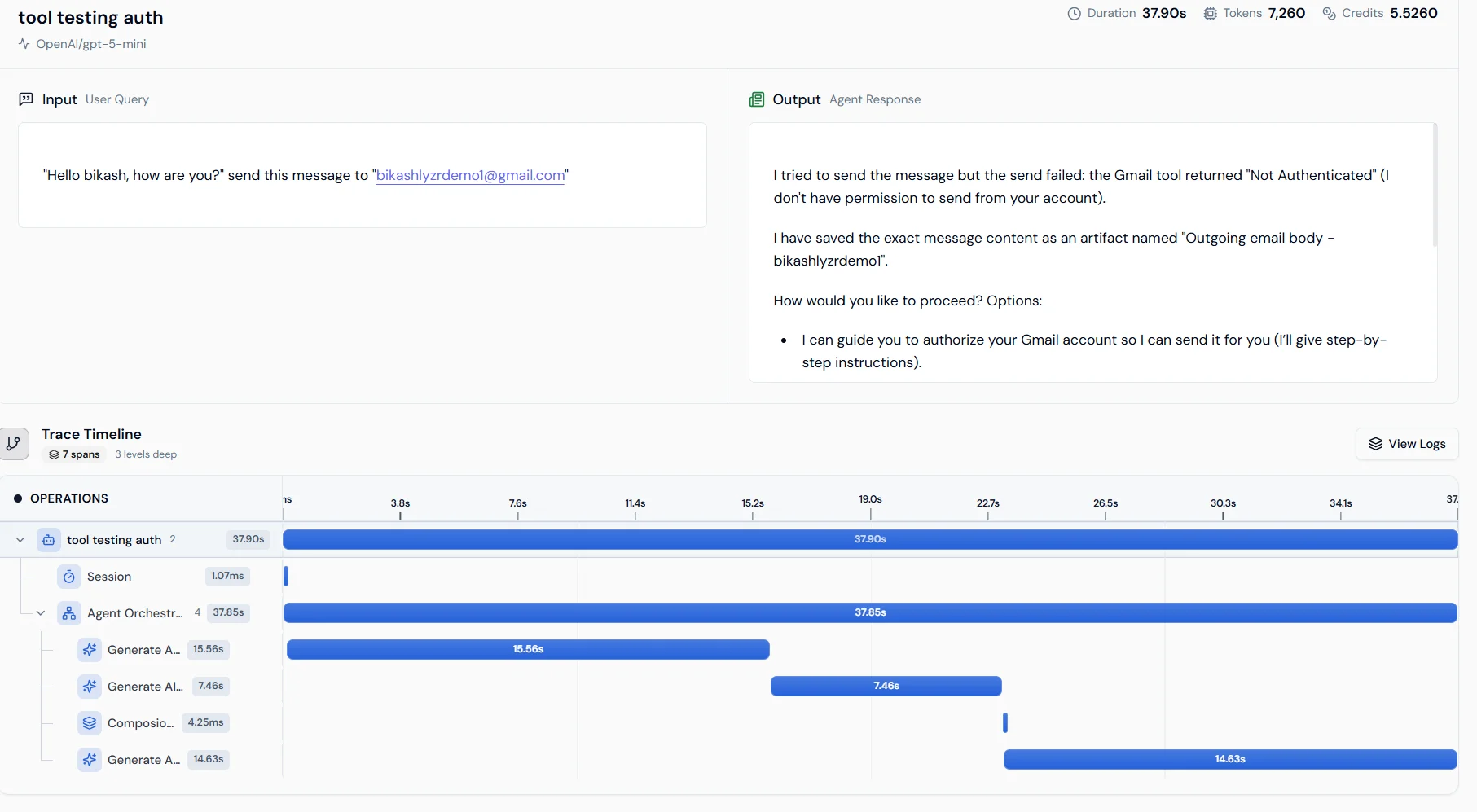
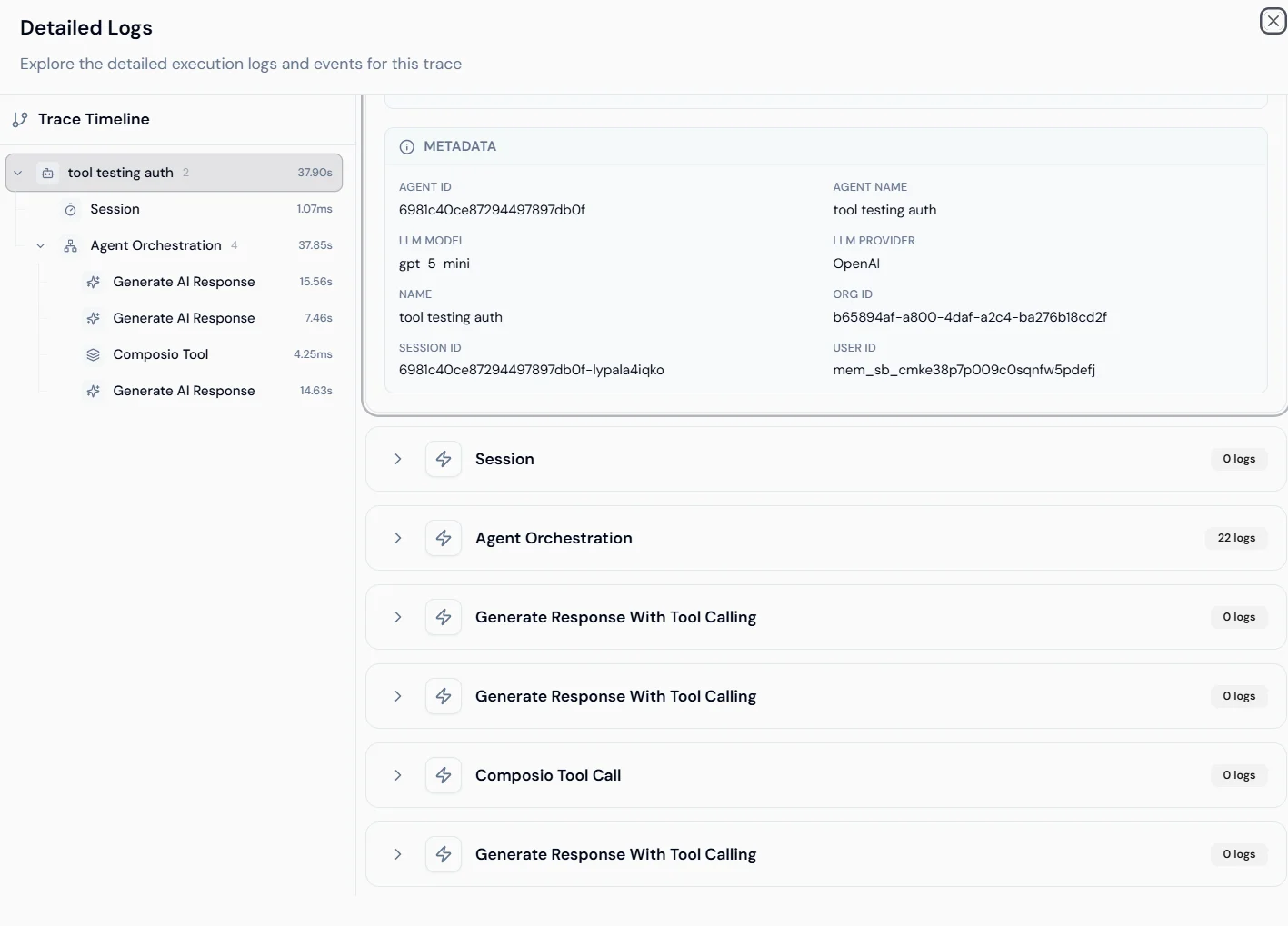
Selecting a trace opens the execution timeline for that run. Screenshot of the trace timeline view showing an operation waterfall from Session start through Agent Orchestration to Generate AI Response. Operation waterfall: shows the sequence of steps from session start through agent orchestration to the final LLM response, with duration for each span. This identifies which step is causing latency. Metadata and logs: shows Agent ID, Org ID, User ID, and model details. Expand any operation to view raw logs and internal event data. Screenshot of the detailed logs panel showing metadata fields and expandable operation logs.
Next steps