

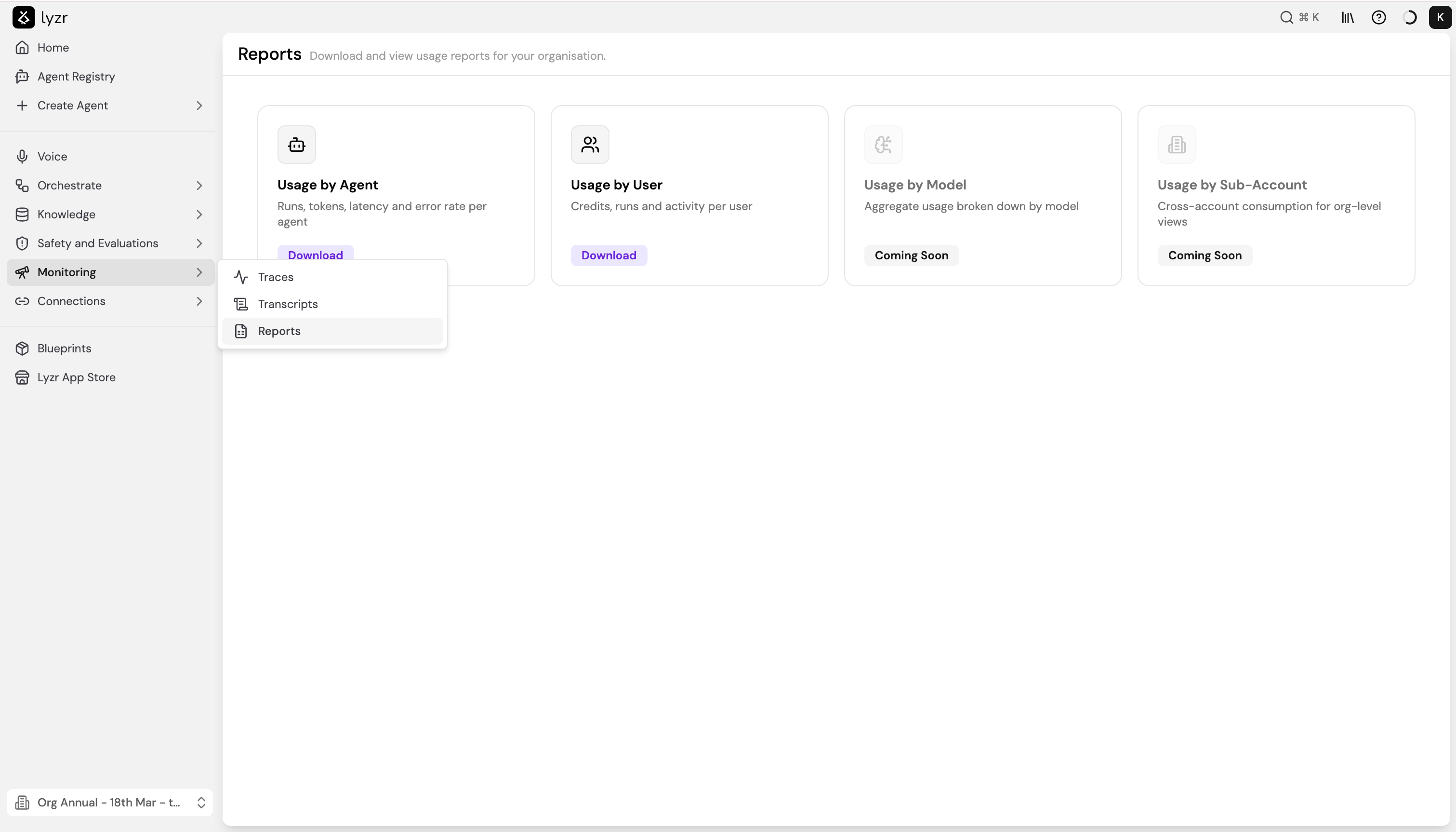
Available reports
Usage by Agent
Breaks down agent performance and consumption over a selected time period. Use this report to identify high-traffic agents, spot latency outliers, and track error rates across your agent fleet. To generate the report:- Select Download on the Usage by Agent card.
- Choose a Timeframe - this field is required.
- Optionally filter by Agent Type, Model, or Created By.
- Select Download. The report downloads as a CSV file.
The exported CSV includes one row per agent with the following columns:
Usage by User
Shows credit consumption, run counts, and activity broken down by user. Use this report to understand how usage is distributed across your team and track credit spend per person. To generate the report:- Select Download on the Usage by User card.
- Choose a Timeframe - this field is required.
- Toggle Include sub-organisations if you want to roll up usage from child organisations into the report.
- Select Download. The report downloads as a CSV file.
Coming soon
Usage by Model and Usage by Sub-Account are currently in development.- Usage by Model will show aggregate token consumption and cost broken down by model, making it easier to compare spend across providers.
- Usage by Sub-Account will provide org-level views of cross-account consumption, useful for teams managing multiple sub-organisations under one parent account.