

Enable Responsible AI on an agent
Guardrail policies are applied per-agent through the Responsible AI feature card in the Agent Builder.- Open the agent in the Agent Builder.
- Scroll to the Features section and select the Responsible AI card.
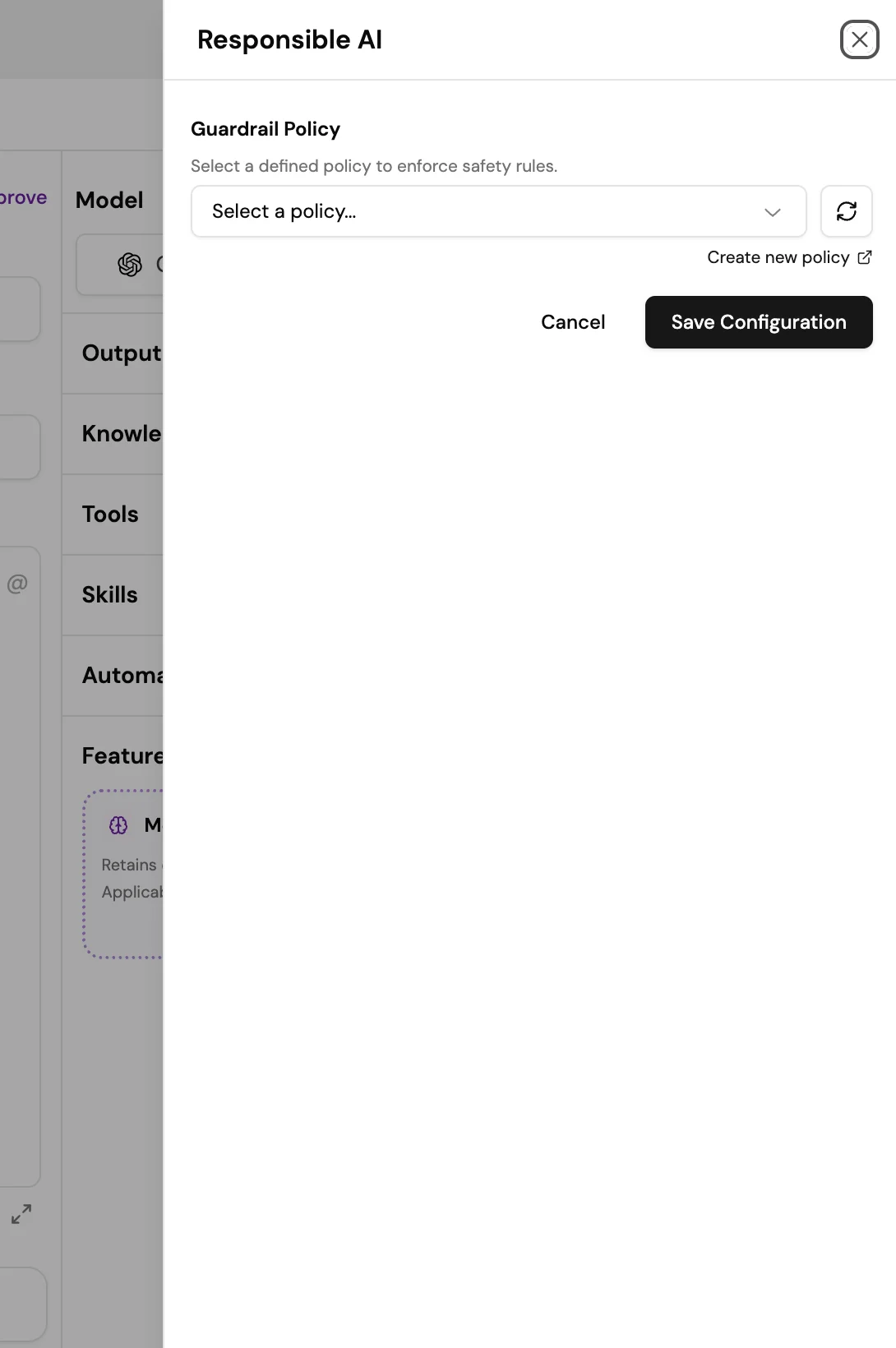
- In the Responsible AI panel that opens, select a guardrail policy from the Guardrail Policy dropdown. This list shows all policies you have configured in Safety and Evaluations.
- If you need to create a new policy first, select Create new policy to open the policy editor in Safety and Evaluations.
- Select Save Configuration.
Creating a policy
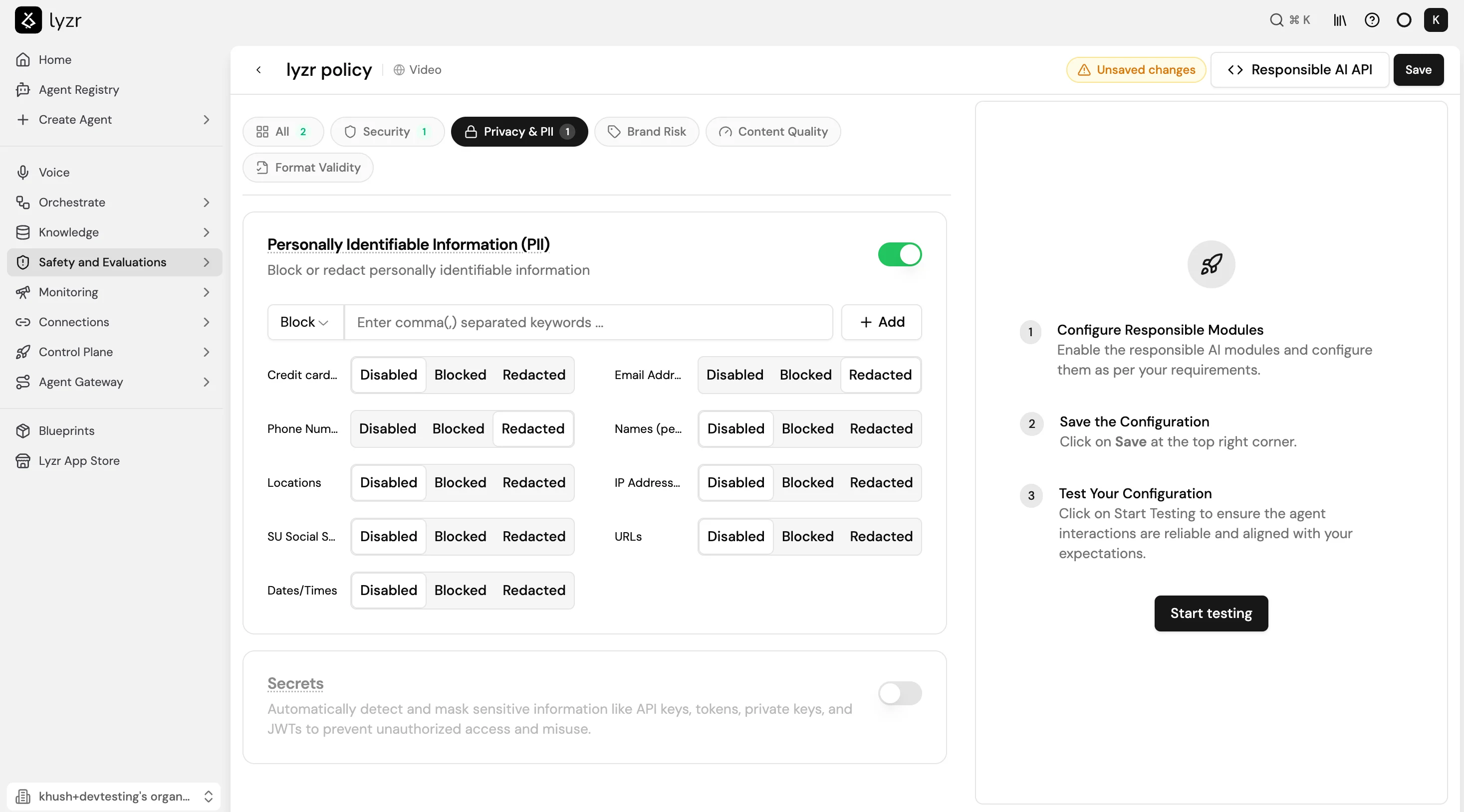
Policies are created in Safety and Evaluations > Responsible AI. Each policy groups a set of checks by category: Security, Privacy and PII, Brand Risk, Content Quality, and Format Validity. To create a policy:- Go to Safety and Evaluations > Responsible AI in the sidebar.
- Select Create New Policy and give it a name.
- Enable the checks you need across the available categories. For each check, configure its enforcement mode and any additional settings, for example which PII fields to block or redact.
- Select Save in the top right corner.
- Select Start Testing on the right panel to validate the policy against sample interactions before assigning it to an agent.
Full Responsible AI reference
See Responsible AI for the full policy configuration guide, including available check types, custom policy syntax, and the Responsible AI API.Bring your own guardrail provider (optional)
If your organization manages guardrail infrastructure in AWS or Google Cloud, you can connect it to Lyzr instead of using the built-in policy engine. Go to Connections > Guardrails and select + on the relevant provider card:- AWS Bedrock Guardrails: enforces content filtering, PII detection, and other policies managed in your AWS account.
- Google Model Armor: enforces prompt injection protection, sensitive data filtering, and other policies managed in your Google Cloud project.